formi Across projects
$ formiFind the project that needs your attention.
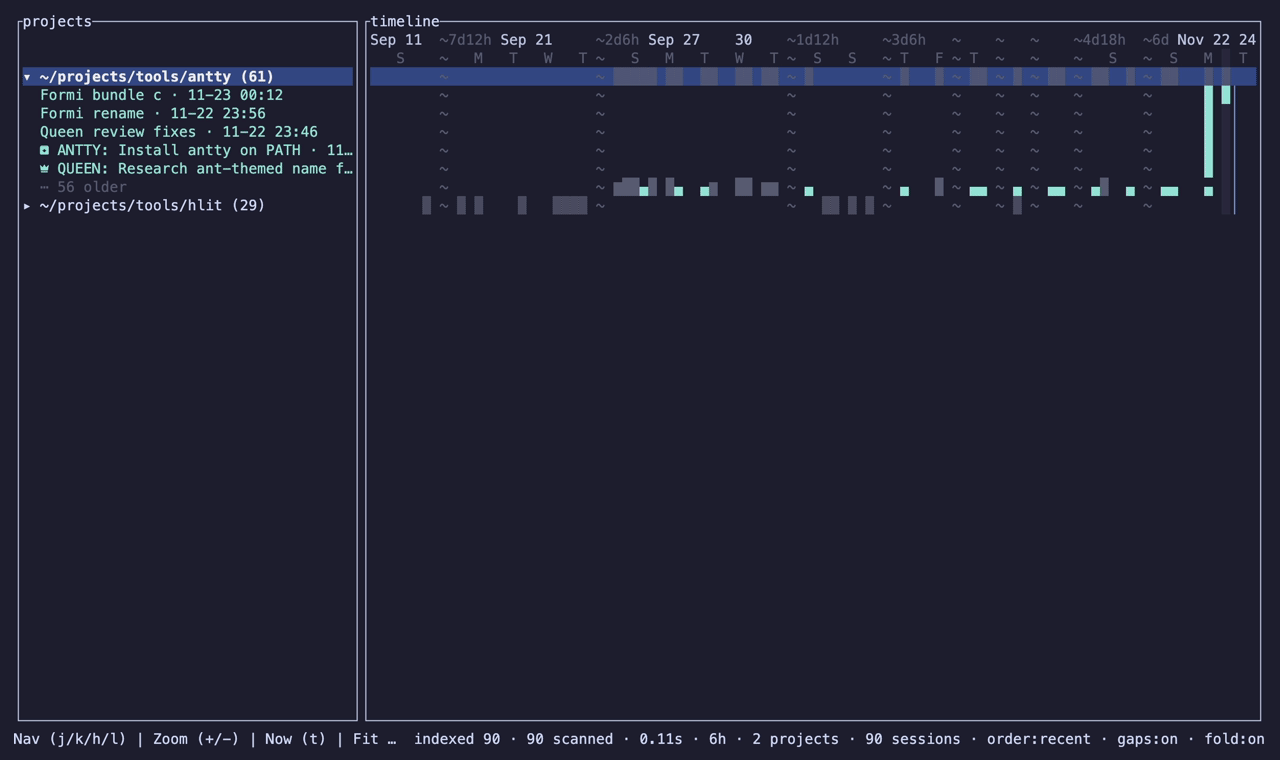
- Projects ordered by recent activity
- Search full paths and session titles
- Dashboard with project rankings
See activity across projects with formi.
Inspect file history and diffs with antty.
Two terminal tools. One installation.
omp · Claude Code · Codex CLI / macOS + Linux
Install antty + formi$ formiFind the project that needs your attention.
$ anttyFind out who touched what, and when.
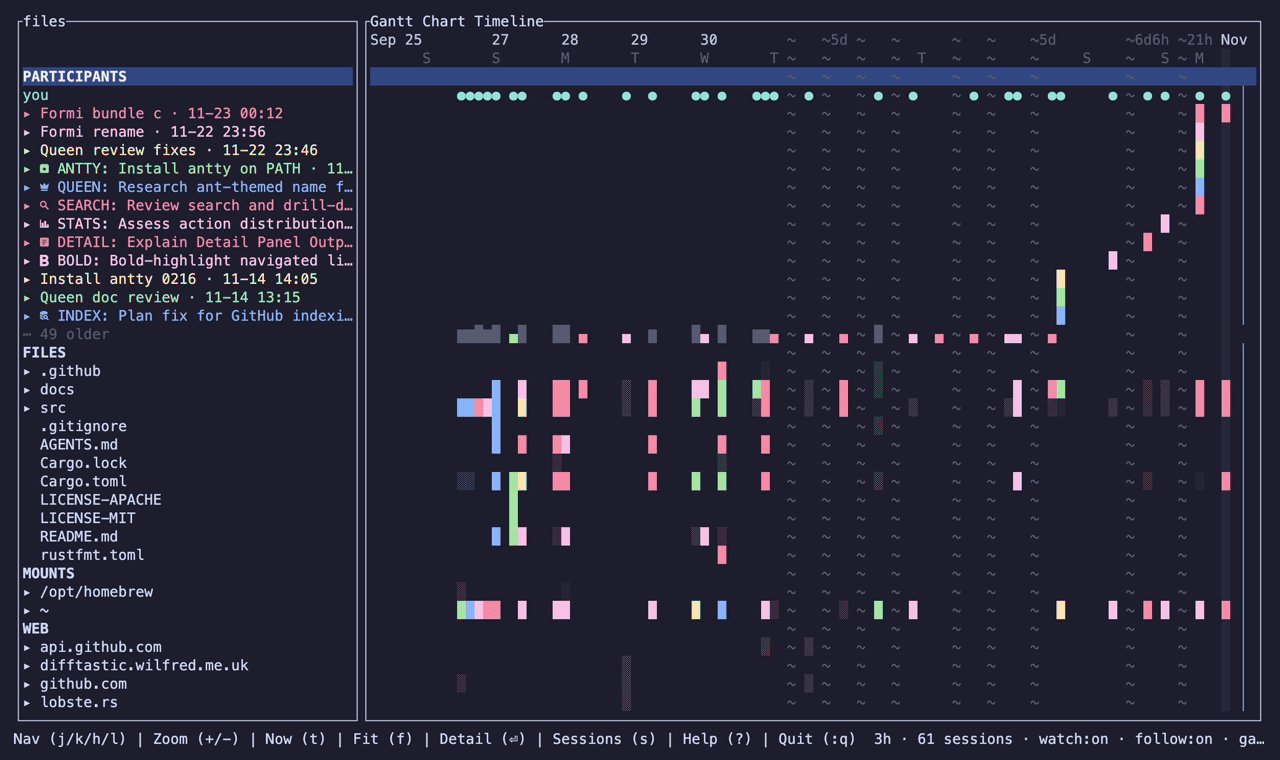
Enter opens a project in antty. :q returns you to formi.
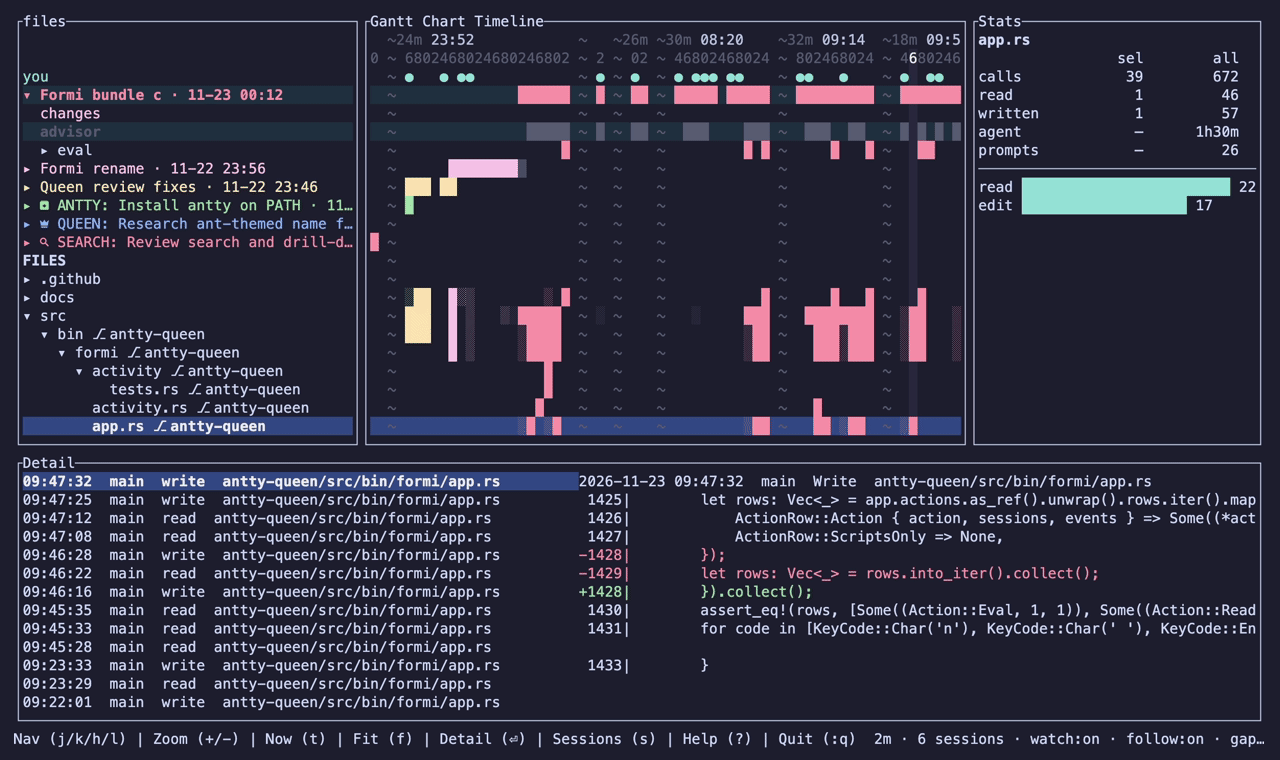
Open a file’s history in antty. See the recorded event, command or diff—not just a busy timeline.
Selected event: a write to src/bin/formi/app.rs at 09:47:32. Its diff is shown below.
Tool-call mix, project rankings and a last-seven-days view. Numbers drawn from your session logs, not another service to configure.
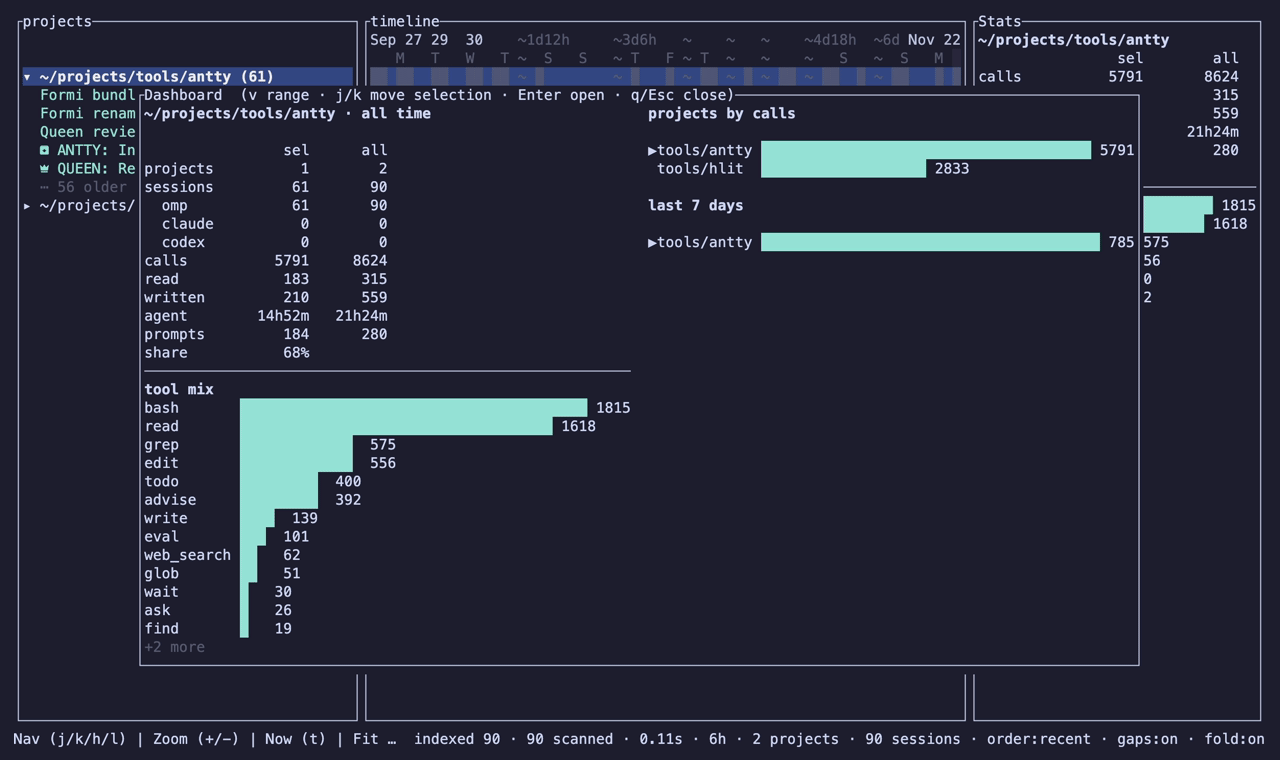
This crop shows example totals and tool mix. The full capture also shows project rankings and the last seven days.
i Quick stats beside the timeline
I Open the dashboard
v Limit to the visible range
This short recording narrows antty to eval activity. Both tools offer an action filter.
Open Actions, select eval, then apply the filter.
formi anywhere. antty inside your project.
cargo install --locked --git https://github.com/filipkristofiak/antty --tag v0.2.27 Rust 1.88+ · MIT OR Apache-2.0 · v0.2.27
Installation guide